
In-Cab HMI &
Driver Experience

CONFIDENTIALITY NOTICE
Due to confidentiality & the nature of projects currently in development, I'm unable to share specific data, internal deliverables and proprietary findings from this project. All images are sourced from Volvo Group's public library. The process, methods, and outcomes described here reflect my genuine contributions.
Overview
A platform used by millions of professional drivers,
every day, at 65 miles an hour.
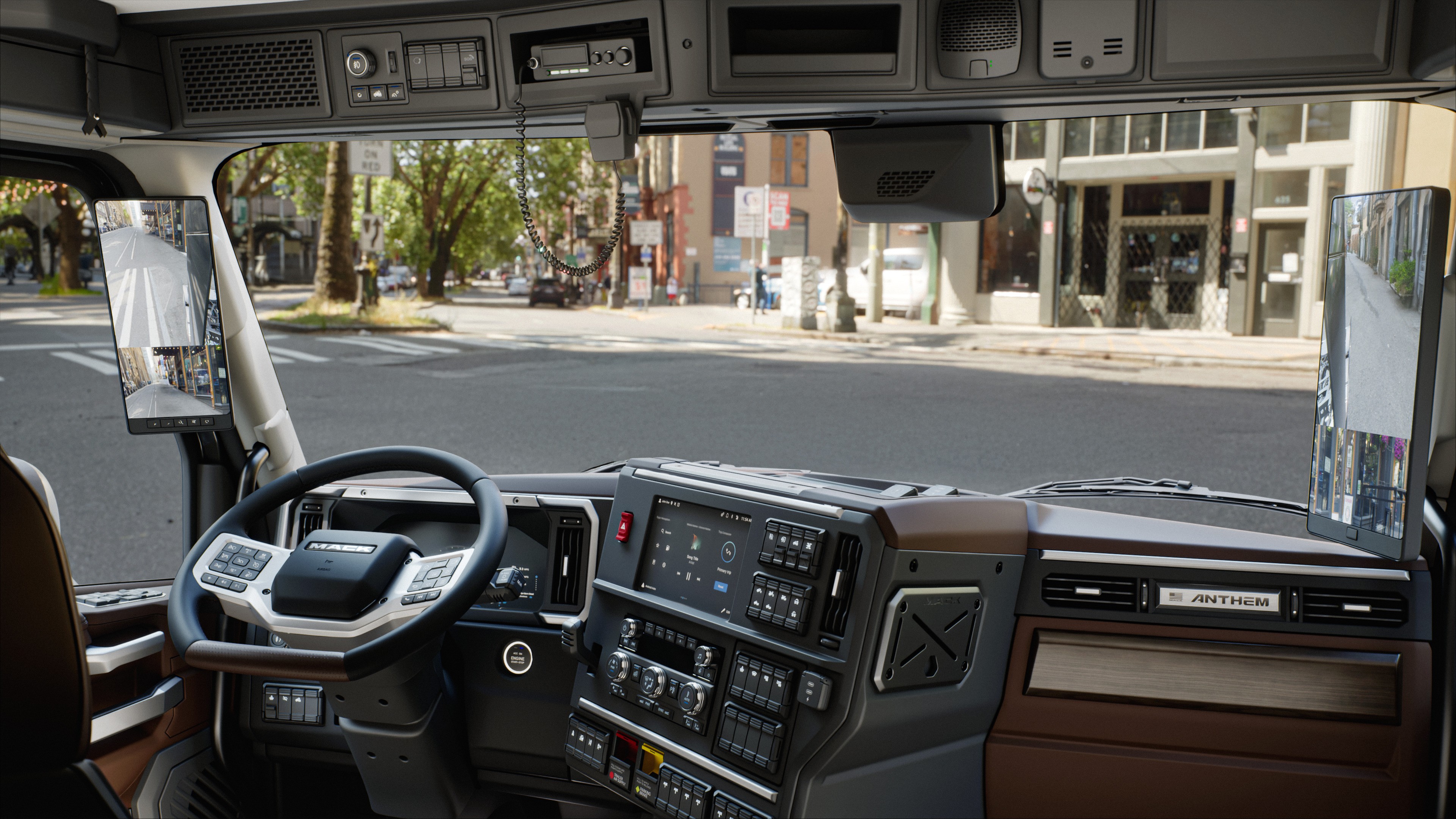
Volvo and Mack trucks run one of the most complex in-cab digital platforms in the commercial vehicle industry spanning the instrument cluster, infotainment display, and in-cab dashboard controls. Millions of professional drivers interact with this system daily, in motion, under pressure, and on long-haul and regional routes.
Unlike passenger vehicles, commercial trucks serve as both workspace and, for long-haul drivers, a living space. This extends the design challenge beyond the driving task including how drivers rest, manage their environment, and navigate systems during non-driving hours in the sleeper cab.v
Role
Driver Interface & Usability Specialist: Usability Team
Timeline
2023–2025
Team
Usability Team (North America), UI Designers, Engineering, Product, Global Platform Team (Sweden)
Platform
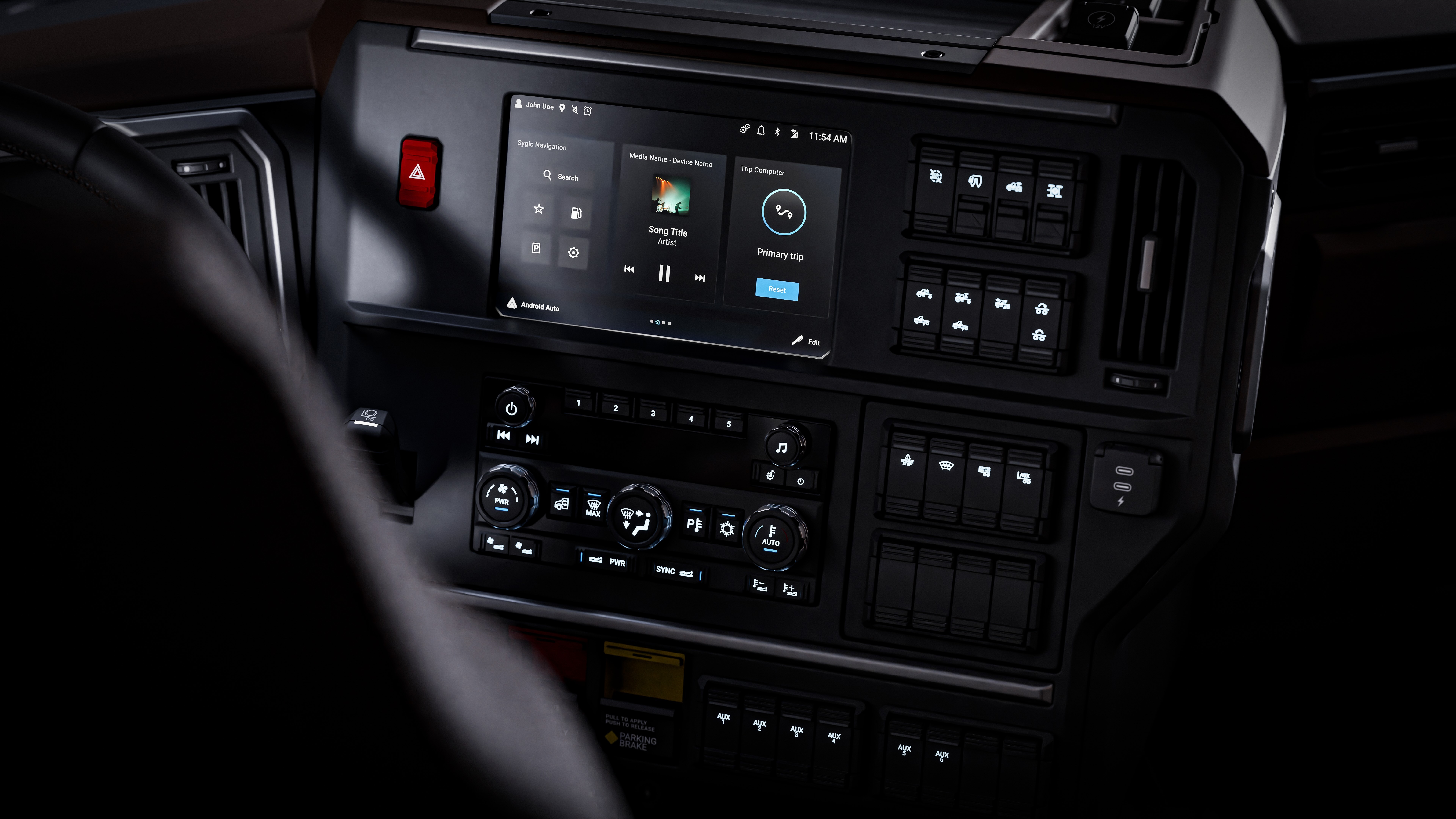
In-Cab HMI - Instrument Cluster, Sleeper Control Panel, Secondary Infotainment Display, Exterior Light Control Panel
My Deliverables
Global Driver Distraction Guidelines, NA Localisation Review, UX Copy, Competitive Benchmark, Heuristic Evaluation, Physical Hardware Reviews, SW Build Evaluation, Eye Tracking Study, Usability Testing, Requirements Documentation, On-Road App Lockout, ISO/FMVSS Icons Audit, Sound Design Reviews, UI Approval Reviews, Roadmap Input
Tools
Figma, Protopie, Confluence, Jira, Lab Simulation Rig, Eye-Tracking Equipment, Arduino, Raspberry Pie
The Challenge
Without shared standards, every design decision was being made individually, inconsistently, and with no external benchmark.
The platform had grown significantly across vehicle lines, markets, and software generations
Safety vs Functionality
The more useful the system, the more it asks of the driver's attention. Every feature added is a potential distraction. Every UX decision is also a safety decision whether it acknowledges that or not.
01
Complexity vs Glanceability
Drivers need access to navigation, climate, media, and vehicle status simultaneously. The interface must surface the right information at the right moment without requiring the driver to search for it.
02
Global vs Regional
Volvo HMI is built globally. North American drivers have specific expectations around terminology, units, information hierarchy, and interaction patterns that a global system doesn't automatically address.
03
“The strategic question was never what features can the app provide. It was: is the driver actually aware of what the system is doing and does every design decision support that?”
Team Structure
Where the Usability Team sat
Three distinct functions, each with different authority and scope. The Usability Team's position made the work distinctive.
Global (SWEDEN)
Global Platform Team
Owned the core HMI platform. Primary design authority and implementation of the global system component library, interaction model, visual language.
→
North America
UI Designers
Handled regional execution adapting the global platform for the North American market. Output went to global teams for implementation.
→
My Team
North American Usability Team
Responsible Usability and UX for Volvo & Mack in USA, Canada, Mexico and Australia. Held UX sign-off on all interaction proposals before engineering.
UX authority & approval gate
Research ownership
Global-to-regional bridge
My Role
What I owned
PS - detailed explanation in the Discovery section
Evaluate
Measuring and testing the platform against real-world driver behaviour
Eye Tracking & Usability Research
Physical Hardware UX Review
SW Build Evaluation (Lab Rig)
Competitive Benchmarking
Coordinate
Cross-functional alignment and expert reviews
Sound Design Expert Reviews
UI Approval Reviews
Define
Setting the standards the platform had to meet
Platform Guideline Authorship
On-Road Testing & Regulatory Alignment
Standards Audit - ISO & FMVSS/CMVSS
Influence
Shaping product direction and future roadmap
Feature UX Input & Roadmap
The Platform
A system of touchpoints, not a collection of screens
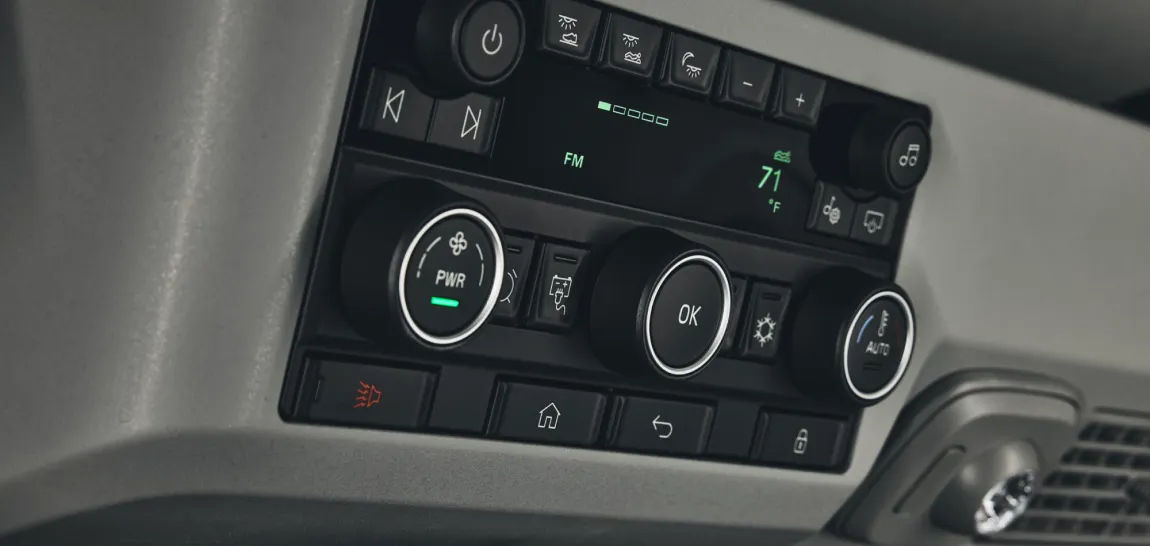
The Volvo HMI platform spans a coordinated set of physical and digital touchpoints that together form the driver's complete in-cab environment. Design decisions made at the platform level propagate across all of them.

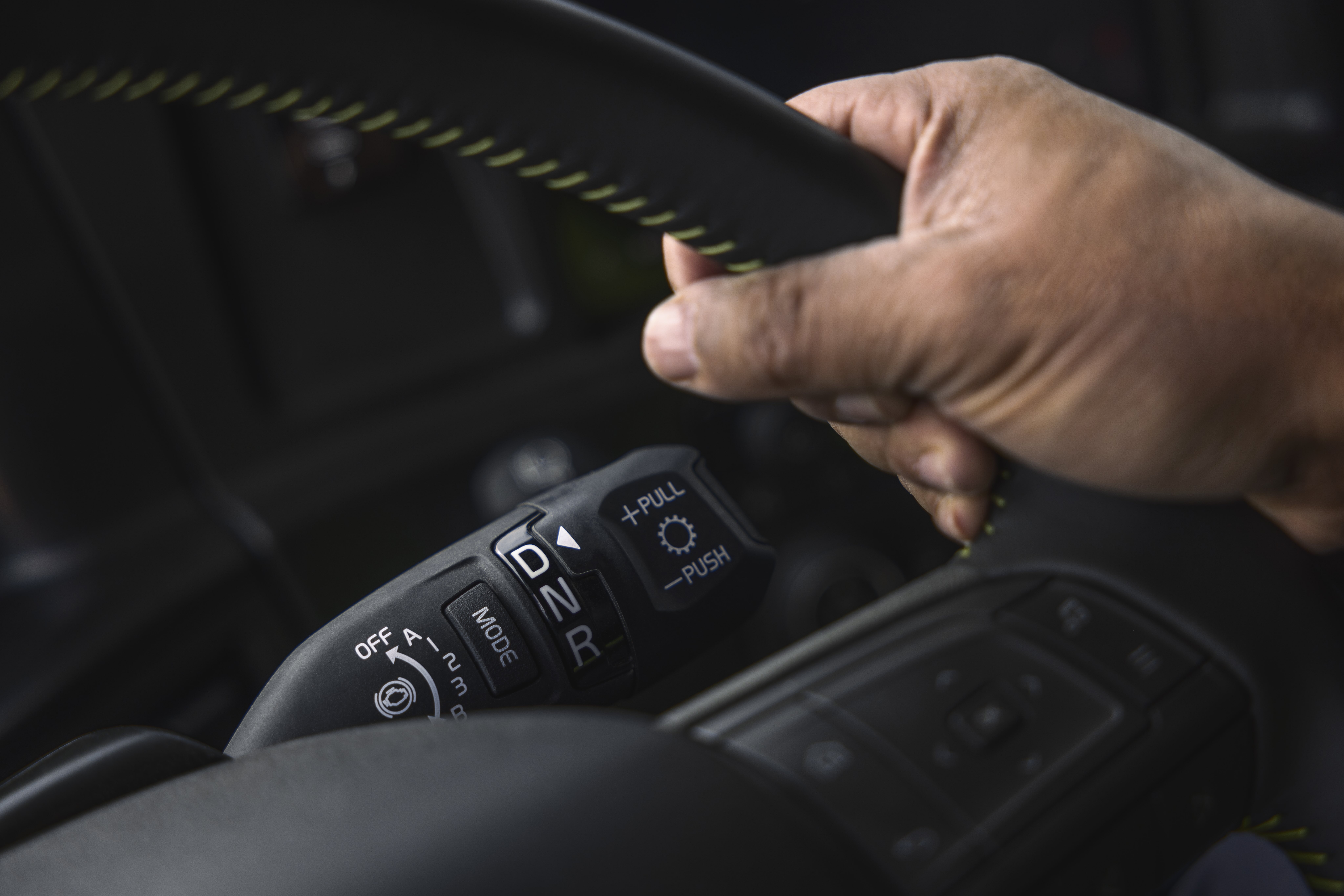
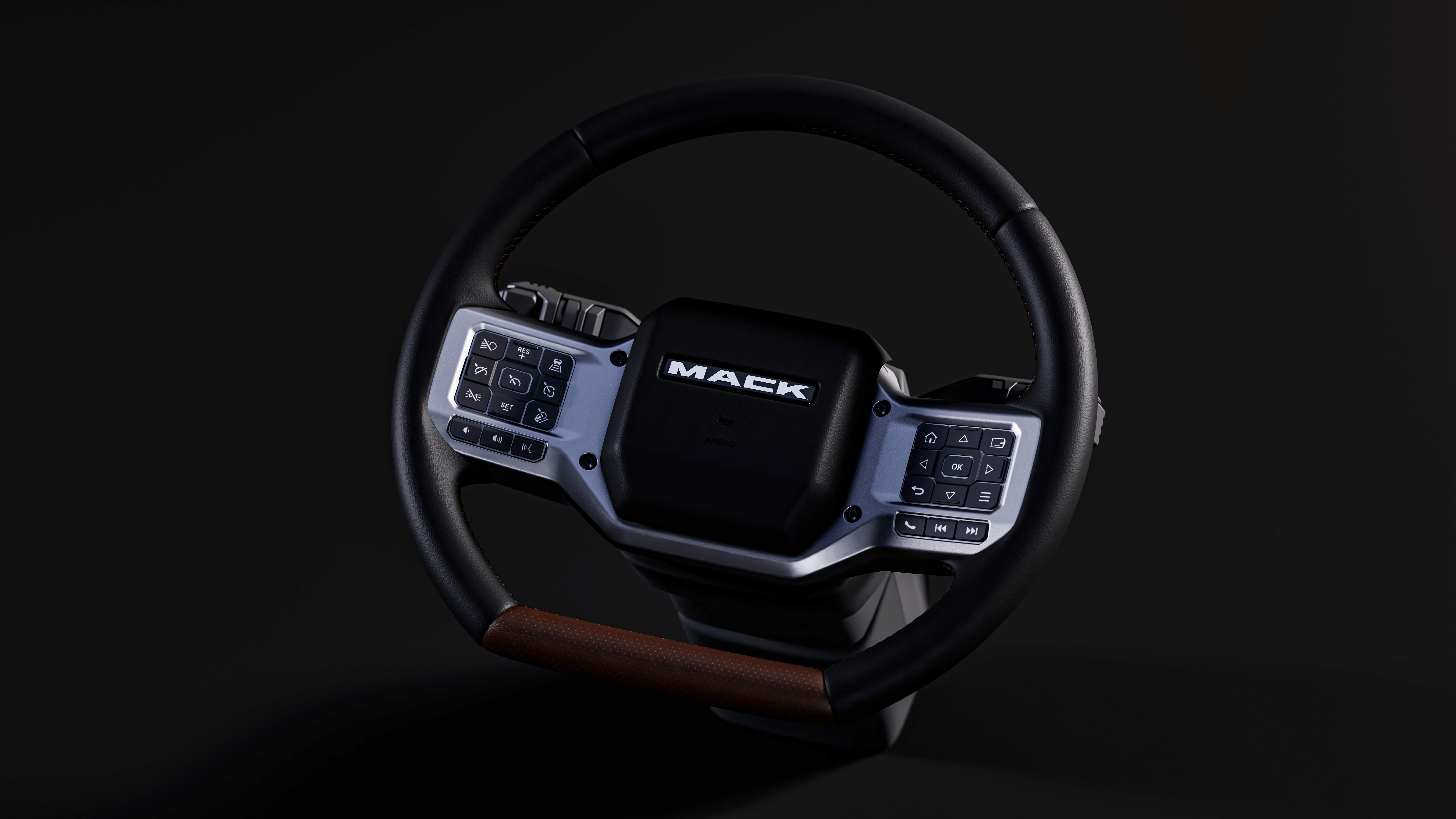
Instrument Cluster, Steering wheel & Stalks
Primary controls in the driver's sightline. Vehicle status, navigation cues, safety alerts, cruise control, media controls, gear shift & wipers.
Center Stack Display
Main touchscreen and hardware controls for media, climate, navigation, settings. Higher interaction depth. Physical position and reachability are critical usability constraints.
Sleeper Panel
Controls for the sleeper environment: bunk climate, lighting, safety functions. Driver stationary, with different information needs than during active driving.
The Users
Designing for professional drivers
The expert compensator problem. Years behind the wheel mean professional drivers develop workarounds for friction they no longer consciously register. Self-reported usability is systematically optimistic. A driver saying "that's not a problem" is often exactly the signal worth investigating further.


Who they are
Professional american drivers with ages from 25-75. Drive solo or with a partner depending on the range. Expert users who rely on pattern recognition to operate interfaces quickly, they notice when something is wrong faster than when it's right.
Their environment
A truck cab is a workplace. Drivers spend weeks in it at a stretch working, eating, resting, communicating. The HMI is their primary interface to the vehicle and, increasingly, to logistics, communication, and route management.
Key constraints
Interactions must work while wearing gloves. Information must be readable during the day and night. Any interaction initiated while moving must be completable in under 2–3 seconds. Cognitive load is already high so the system cannot add to it.
What they need
Confidence. They need to know the right information is there when they need it, that alerts mean something important, and that the system behaves predictably the same way, every time, across every feature area.
DISCOVERY
Starting with what I didn’t know
01
Physical Hardware UX Reviews
02
SW Build Evaluatio:
Lab Simulation Rig
03
User Research: Eye Tracking & Usability Testing
04
On-Road Testing: App Lockout Evaluation
05
Standards Audit: ISO & FMVSS/CMVSS
06
Terminology Alignment: Brand Distinction
07
Expert Sound Reviews:
In-Cab Audio
08
Competitive Benchmarking
09
Heuristic Evaluation & Localisation Review
10
Feature UX Input:
New & Existing Apps
Physical-digital integration
Physical Hardware UX Reviews
Prototype truck reviews covering cluster angle, display placement, charger, illumination, and ergonomic reach.
What I evaluated
Instrument cluster angle and windshield reflection under different lighting conditions
Center display and side display positioning, ergonomic reach and button accessibility
Phone stability in wireless charger stability on normal and rough roads
Illumination across physical controls like lights (ECLP), dashboard switches, sleeper panel (LECM)
Key findings
Cluster angle reflection. Produced windshield reflection at certain lighting angles.
Side display position. Position made capacitive infotainment controls unclickable for drivers with thick fingers or long nails.
Wireless charger issues. Degraded charging, phone movement hazard for Volvo and Mack.
Illumination review. Some control panels had hotspots brighter or dimmer.
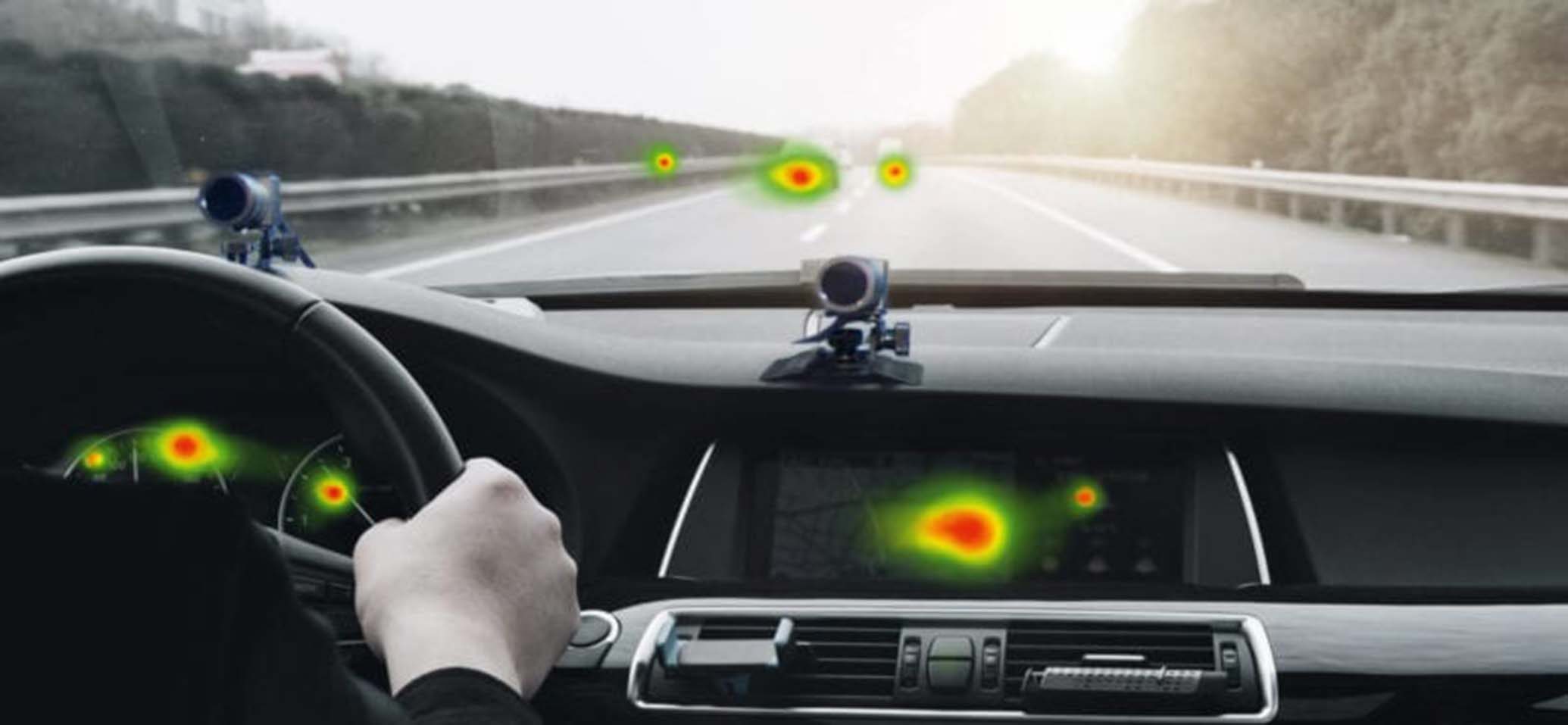

Picture Credit - Smarteye website
Design Principles
01 / 06
Prioritise glanceability
If a driver has to look at a screen for more than 2–3 seconds, the design has failed. Every information hierarchy decision starts with: what does the driver need to know in one glance?
01
01
Prioritise glanceability
02
Reduce cognitive load
03
Recognition over recall
04
Enforce consistency
05
Design for scalability
06
Respect regional expectations
Insights & decisions
What the research revealed and what it produced
Each entry below is a distinct finding with its own evidence base, decision logic, and priority call. Each one produced a specific output: a hardware repositioning, a platform guideline, a cross-functional alignment, or a sprint prioritisation call. The reasoning and the standard it produced are shown together.
Impact
NDA restricts specific metrics. What follows is what changed.
A shared team standard
The guidelines set the minimum usability bar for features covering interactions, requirements, and in-motion constraints. Engineers and other teams referenced it directly, replacing individual judgment calls with a consistent standard.
A platform-level conversation
The notification tier framework gave product and engineering a shared model: what counts as urgent vs ambient, and what each tier means for how information is surfaced. It replaced feature-by-feature guesswork with consistent platform logic.
From 'should we?' to 'when?'
Not all recommendations were implemented immediately. But having them documented and evidenced shifted the conversation from 'should we fix this?' to 'when do we fix this?' That shift matters.
An Industry baseline
Research was consolidated into one document showing exactly where Volvo and Mack stood against competitors giving a structured, evidence-based baseline for prioritisation conversations. Used in subsequent planning conversations.

Reflection
Working on a platform used by professional drivers across continents made the stakes of getting things right very clear. Every interaction a climate gesture, a navigation prompt, an ADAS alert happens in a working environment where cognitive load is high and errors have real consequences.
The most valuable thing I took from this project was learning to treat familiarity as a signal, not reassurance. When experienced drivers said something "wasn't a problem," that was often exactly when it was worth looking more carefully. The best insights didn't come from what people told us they came from what we observed when they stopped explaining and just drove.
I also grew significantly in cross-functional and cross-cultural collaboration. Coordinating across teams in Sweden, Lyon, and India with different priorities, timelines, and design philosophies required as much communication skill as research skill.
Available for full-time roles.
Maybe it's with you.
Get in touch